


App Lock - Applock Fingerprint
4.74.41K Reviews
App Specs
- Version
- 1.7.3
- Updated On
- License
- Free
- Downloads
- 100,000,000+
- Developer
- Trusted Tools
- Categories
- Productivity
- Platform
- Android, iOS
Screenshots

 Analysis by AppCompare
I often notice the value of an app lock most clearly in ordinary household moments: someone borrows my phone to check a map, choose a song, or look at a photo, and I want to hand it over without opening up every account and conversation. App Lock - Applock Fingerprint is built for that narrow, practical job. It adds a barrier around selected apps rather than trying to manage the whole phone, which makes it useful when the device is shared briefly but its contents are not.
That distinction matters. An app lock can help keep a banking app, private messages, or a personal gallery out of casual reach, but it is not a substitute for a device passcode or careful account security. I think of it as an extra boundary for specific situations, not a promise that every kind of access or privacy concern is solved. Used with that expectation, it can make everyday handoffs feel less awkward.
When a shared phone needs separate spaces
A realistic example is a family member asking to use your phone while you cook. You can open the recipe or music app they need, then let them use the device without making your messages or other selected apps equally accessible. That small separation is the app’s most convincing household use: it lets you lend the phone for a task without treating the whole device as public.
It can also help when a friend wants to see one picture but you would rather not leave your gallery open for browsing. The lock is most useful when you decide in advance which apps deserve an extra prompt. If you lock too many, lending the phone becomes a sequence of interruptions; if you lock only the sensitive ones, the boundary is easier to explain and live with.
Choosing a lock that fits the moment
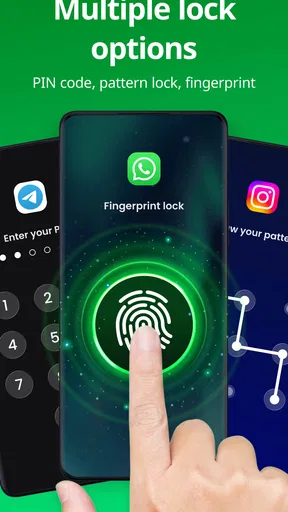
The app offers pattern, PIN, and fingerprint options, so I would choose based on who uses the phone and how quickly I need to unlock protected apps. Fingerprint access is convenient for the owner, while a PIN or pattern can be a better fit if biometric access is not set up or is uncomfortable to use. The practical point is to pick a method you can enter reliably when you are in a hurry, rather than choosing one that sounds strongest but becomes a daily nuisance.
For a device used by more than one person, the lock method also affects coordination. If you routinely hand over the phone, avoid sharing the unlock method itself; otherwise the app’s boundary may become more symbolic than useful. I would keep the passcode private, open the app someone needs myself, and then pass the phone over. That takes a moment, but it preserves a clear line between helping someone and giving them general access.
What this app can and cannot do for a household
This is an app-by-app safeguard, not a full family-management system. It does not turn one phone into separate user profiles, and I would not rely on it to set a child’s screen-time rules or supervise online activity. For those needs, built-in parental controls or account-level family tools are a better match. App locking is more appropriate when the goal is simply to keep certain apps from opening casually.
Worth Reading Before You Choose

Flipboard Shows What News Apps Must Do Beyond the Feed

Switching to Android Auto Means Rethinking Your Driving Routine

Google Calendar Makes a Crowded Week Easier to Manage

Ludo King Makes the Most of the Minutes Between Plans

Baby Panda World Brings Quick Play to Modern Phones, but Its Game Library Feels Busy

ESPN’s Live Game View Makes Following Close Games Easier
That makes age and trust part of the decision. For a younger child who borrows a parent’s phone, locking selected apps can reduce accidental access, but it does not replace a conversation about what the child may use. With an older child or another adult, an app lock works best as a personal boundary on the owner’s device, not as a hidden way to monitor someone. I would be upfront about which apps are restricted if the phone is regularly shared.
Practical trade-offs before installing
There is a small but important trade-off in adding a separate locking layer: it creates one more step between you and the apps you use. Fingerprint unlocking can make that feel light, but the routine still needs to suit your habits. If you frequently switch between protected apps while multitasking, a lock on every one may slow you down. Start with the few apps you genuinely want to shield, then adjust after seeing how the setup feels in normal use.
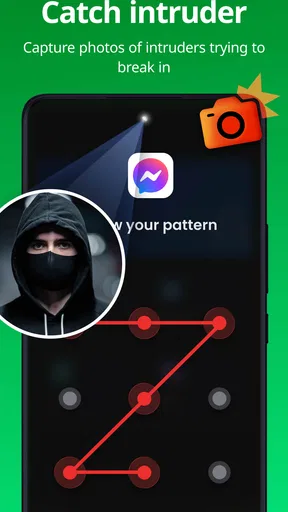
I would also treat the intruder selfie and fake error message as optional deterrents, not the core reason to install the app. A photo may help you notice that someone tried to open a protected app, while a false error can discourage casual snooping, but neither changes the importance of a strong device lock or sensible account security. The fake error could also confuse someone who has legitimate access, so it is worth considering whether that small bit of misdirection fits your household.
If your main concern is lending a phone to a child, guest or temporary-access options built into the device may be more convenient where available, because they can separate a broader session rather than adding prompts to selected apps. If your concern is just keeping a few personal apps private during a quick handoff, this app’s narrower approach is simpler. I would skip it if you expect a complete parental-control suite, separate household profiles, or a way to secure every part of the phone with no extra friction.
Easy Peasy Setup
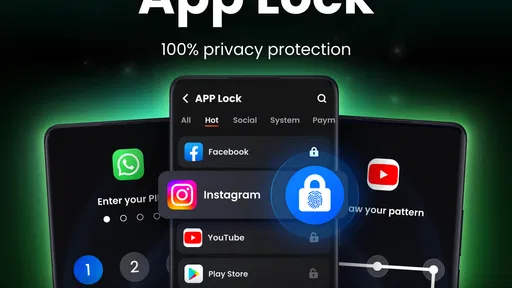
Alright, so setting up App Lock - Applock Fingerprint is as simple as pie. Once you download and install it, the app guides you through a straightforward setup process. You can choose to lock apps with a pattern, PIN, or your fingerprint. And trust me, the fingerprint option is like having a secret handshake with your device. It’s fast, reliable, and super convenient.
What I love about this app is that it doesn’t try to complicate things. You get a clean interface that’s easy to navigate, so you’re not spending hours just trying to figure out how to lock an app. Plus, it doesn’t hog your phone’s resources, which is a huge win in my book.
Customizable to the Core
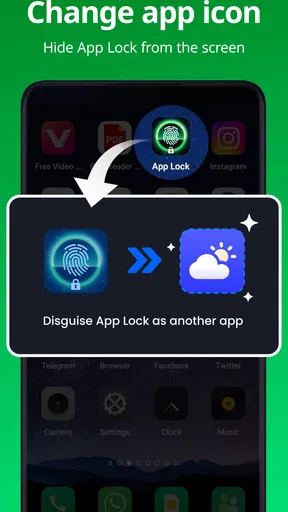
Now, let’s talk about customization. This app doesn’t just stop at locking your apps. You can customize the lock screen with various themes and wallpapers, making your security setup uniquely yours. Want to add a bit of flair? Go ahead and jazz it up. It’s all about making your phone experience personal and secure.
Another cool feature is the ability to set different locks for different apps. So, if you want a pattern for your gallery and a fingerprint for your messaging apps, you’re covered. It’s like having different keys for different doors, all in one digital keychain.
Intruder Alert!
Here’s a feature that really makes App Lock - Applock Fingerprint a standout: the intruder selfie. If someone tries to break into your apps and fails, the app snaps a photo of the culprit. It’s like catching a thief red-handed! This feature adds an extra layer of security and a bit of fun, especially when you catch your friends trying to snoop around.
In addition to that, you can also set up a fake error message on locked apps, which is a crafty way to deter snoopers. It’s like having a digital bouncer that turns nosy intruders away at the door.
Understanding the app’s place in your setup
Compared with relying only on a phone’s screen lock, an app-specific barrier is useful when you want to hand over an already-unlocked device for a particular task. The distinction is practical: a screen lock protects access to the device as a whole, while this app focuses on selected apps after the phone is in use. Neither approach makes the other unnecessary. I would keep the device secured normally and use this as an additional layer for chosen places inside it.
Compared with broader privacy or parental-control tools, the appeal here is its focused purpose. You do not need to reorganize accounts or change how the whole household uses the phone just to protect a few apps. The trade-off is equally clear: because it is focused, it is not the right answer when the problem is a child’s overall device use, shared accounts, or the need for distinct personal spaces on one handset.
One useful setup habit is to test the experience before relying on it during a busy handoff. Lock only a low-stakes app first, then check that you can open it comfortably with your chosen method and that the prompt does not disrupt the way you use the phone. Once the routine feels natural, add the more sensitive apps. This gradual approach helps avoid the common mistake of locking everything at once and then finding ordinary use irritating.
Another sensible boundary is to decide who should know the recovery method and how the household will handle legitimate access. A locked app can create confusion if someone needs it urgently and the owner is away. I would keep that in mind for shared devices, especially where another person depends on the phone for a practical task. The app is strongest as a personal privacy layer when the owner remains available to unlock what is needed.
Who is likely to appreciate it
I can see this being a good fit for someone who lends an unlocked phone now and then, keeps a few apps private, and wants a straightforward choice of lock methods. It also suits people who prefer a separate barrier around messages or a gallery instead of making every brief handoff require entering the device passcode. Its customization gives the protected screen a personal touch, though I see that as a bonus rather than the main reason to use it.
Someone who rarely shares a phone and already feels comfortable with the device’s built-in protections may not gain enough to justify another step. The same goes for anyone looking for a complete security suite or a way to manage another person’s device. I would choose a tool designed for those broader needs rather than expecting a focused app lock to cover them.
At a glance, and in daily use
As a productivity app from Trusted Tools, it has a practical rather than flashy role: reducing the chance that a casual phone borrower opens something private. It is free to install, rated for Everyone, and has a 4.7 average from around 654,000 ratings; it has also passed over 100 million installs. Those figures suggest broad use, but I would still judge it by whether its extra prompt suits your own routine. The current version is 1.6.5, and it requires Android 6.0 or later.
There are in-app purchases ranging from $3.99 to $30.99 per item, so I would check the options shown in the app before assuming every customization or extra is included at no cost. The basic decision is simpler: if you want selected apps protected with a pattern, PIN, or fingerprint, the free entry point makes it easy to try the idea. If you only need a device-wide passcode, the phone’s standard lock may already do enough.
For a household, coordination matters more than adding every available barrier. Decide which apps are genuinely private, choose a method the owner can use without hassle, and agree on how to handle legitimate requests to open them. That keeps the lock from becoming a source of needless friction while still making the owner’s boundary clear.
Why You’ll Love It
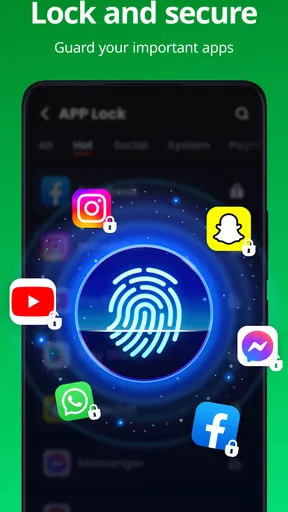
If you’re still on the fence about downloading this app, let me highlight why it’s a must-have. First off, it gives you peace of mind knowing that your personal data is safe. Whether it’s your banking apps, messages, or photo gallery, you have control over who sees what.
Moreover, it’s perfect for those of us who share devices with family or friends. You can hand over your phone without the fear of someone stumbling into your personal space. It’s like lending someone your phone with a protective shield around your sensitive apps.
Final Thoughts
In today’s world, where privacy feels like a commodity, App Lock - Applock Fingerprint offers a simple yet effective solution to keep your digital life secure. Its user-friendly interface, customizable features, and extra protective measures make it a top contender in the app security space.
So, if you’re looking for a reliable way to keep your phone secure, give this app a whirl. It’s like having a personal security guard in your pocket, and who wouldn’t want that?
My household verdict is that this app works best when everyone understands what it is for: a convenient boundary around selected apps, not a substitute for trust, a device passcode, or family rules. I would recommend it to someone who occasionally shares an Android phone and wants a little more control over what a borrower can open. I would pass on it if I needed separate household accounts or comprehensive supervision. Used selectively, it can make a quick loan of your phone feel more comfortable without turning every everyday interaction into a security checkpoint.
Pros
- Simple and intuitive user interface.
- Supports fingerprint and password locks.
- Customizable lock screen themes.
- Low battery and memory usage.
- Regular updates and bug fixes.
Cons
- Ads can be intrusive at times.
- Limited features in free version.
- Fingerprint lock may fail occasionally.
- No cloud backup for settings.
- Requires unnecessary permissions.
FAQs for App Lock - Applock Fingerprint
What is App Lock - Applock Fingerprint and how does it work?
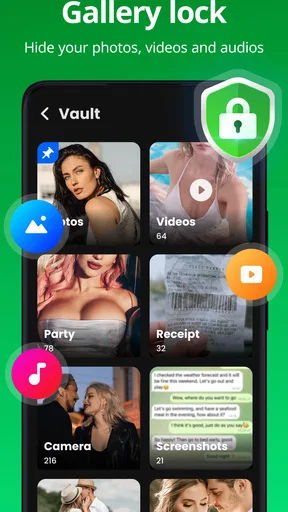
App Lock - Applock Fingerprint is a security application designed to protect your privacy by locking apps with a fingerprint, pattern, or password. Once installed, you can choose which apps to lock, preventing unauthorized access. The app also provides features like photo and video vaults, ensuring your personal files are kept secure.
Is App Lock - Applock Fingerprint safe to use on my device?
Yes, App Lock - Applock Fingerprint is safe to use on both Android and iOS devices. It employs advanced encryption methods to secure your apps and data. However, as with any app, ensure you download it from a reputable source like the Google Play Store or Apple App Store to avoid malicious versions.
Does App Lock - Applock Fingerprint affect device performance?
App Lock - Applock Fingerprint is designed to run efficiently in the background, so it should not significantly affect your device’s performance. Its impact on battery life is minimal, and it utilizes smart algorithms to ensure it doesn't slow down your system while keeping your apps secure.
Can I recover my password if I forget it on App Lock - Applock Fingerprint?
Yes, if you forget your password, App Lock - Applock Fingerprint provides a recovery option. During setup, you can set up a security question or link your email for recovery purposes. This ensures you can reset your password and regain access to your locked apps without hassle.
Does App Lock - Applock Fingerprint support multiple biometric options?
Yes, App Lock - Applock Fingerprint supports various biometric options such as fingerprint recognition and facial recognition, depending on your device’s capabilities. This allows for convenient and secure access to your locked apps, providing flexibility and enhanced security tailored to your device’s features.


